Free on iOS
Tired of deciding what to eat?
Mealody just tells you. At breakfast, lunch, and dinner, your phone sends one meal you can actually cook tonight, using what's already in your fridge. No searching. No planning. You don't even have to open the app.
Set it up in under 2 minutes. No credit card needed.
Sound familiar?
You open the fridge, stare for 2 minutes, close it, and order takeout
You buy groceries with “plans” that never happen, and food goes bad
By 6pm you're too tired to think, let alone scroll through recipes
Mealody fixes this. It's a smart meal reminder that does the thinking for you, so you just cook and eat.
Your fridge, your meals
Tell us what you've got
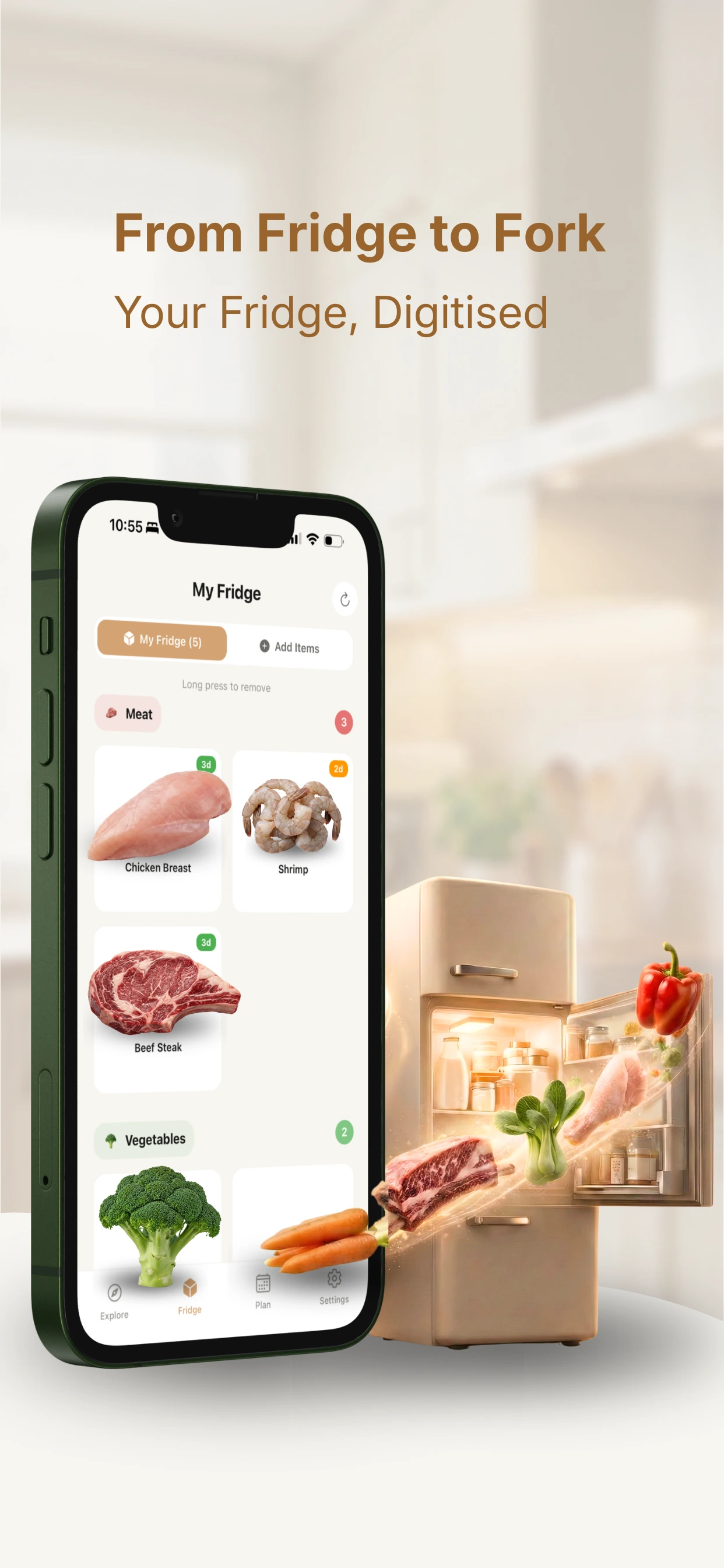
Chicken, rice, eggs, whatever. Add your fridge items once and Mealody only suggests meals you can actually make. No surprise grocery lists, no missing ingredients.
Notification-first
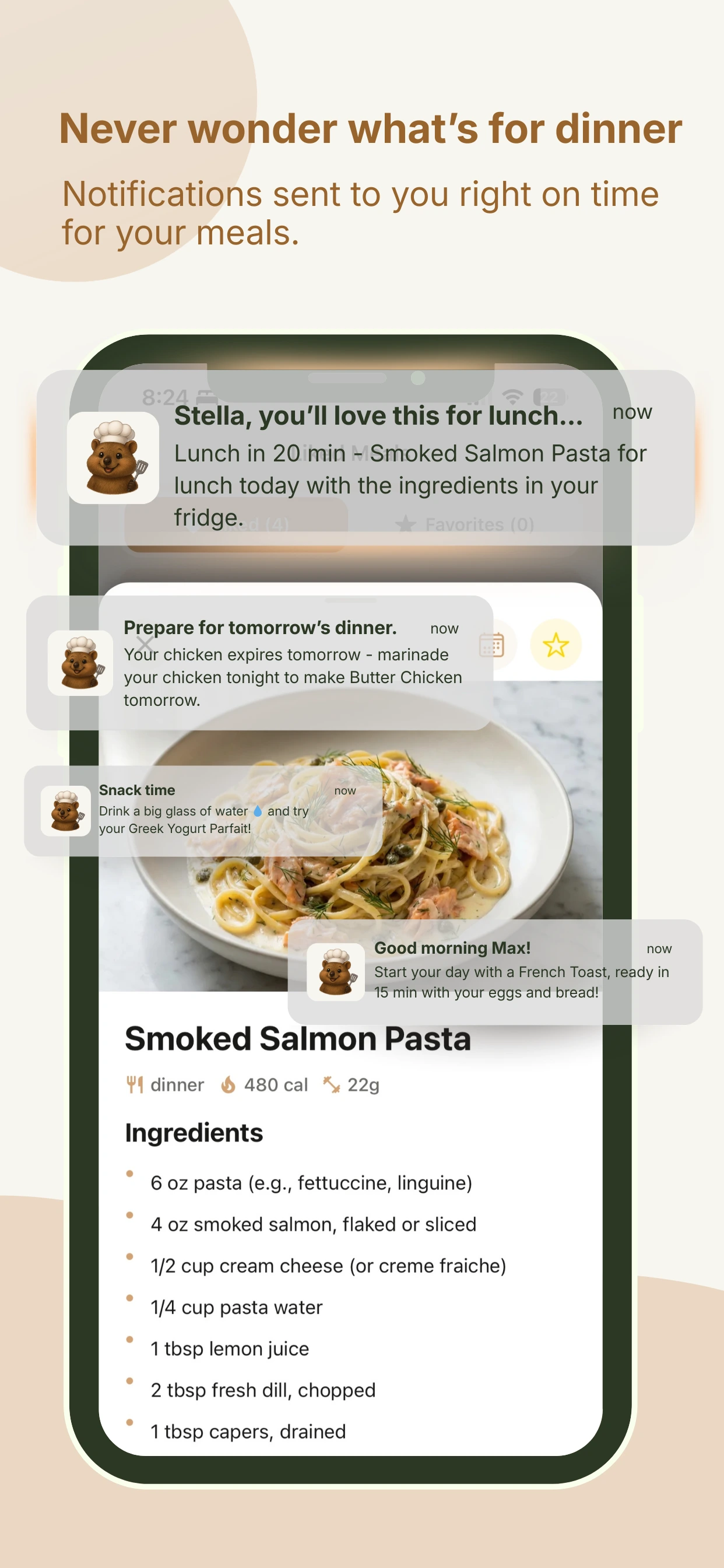
Meal ideas come to you
At breakfast, lunch, and dinner, Mealody sends a notification with a meal you can cook right now. Tap it, see the recipe, start cooking. That's it.
Swipe to discover
Like Tinder, but for food
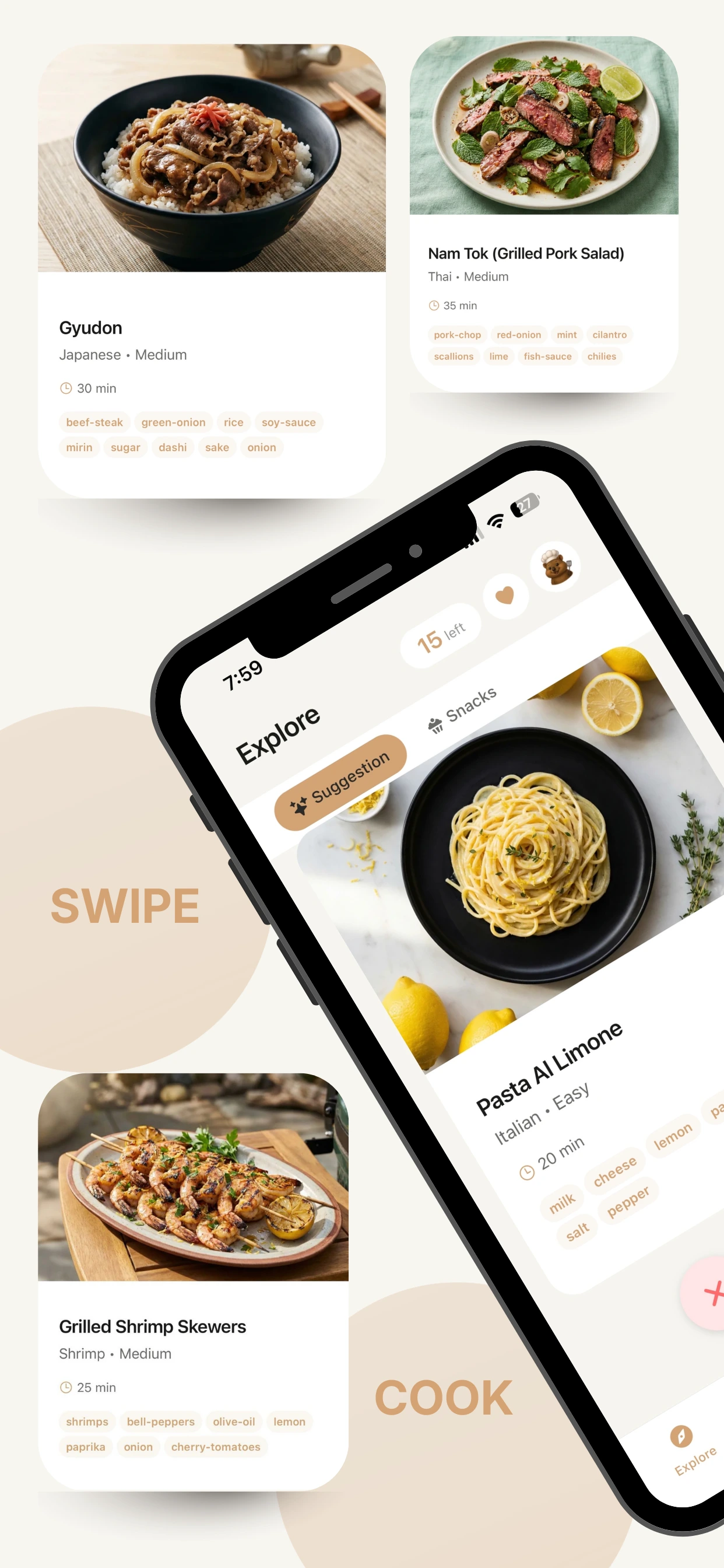
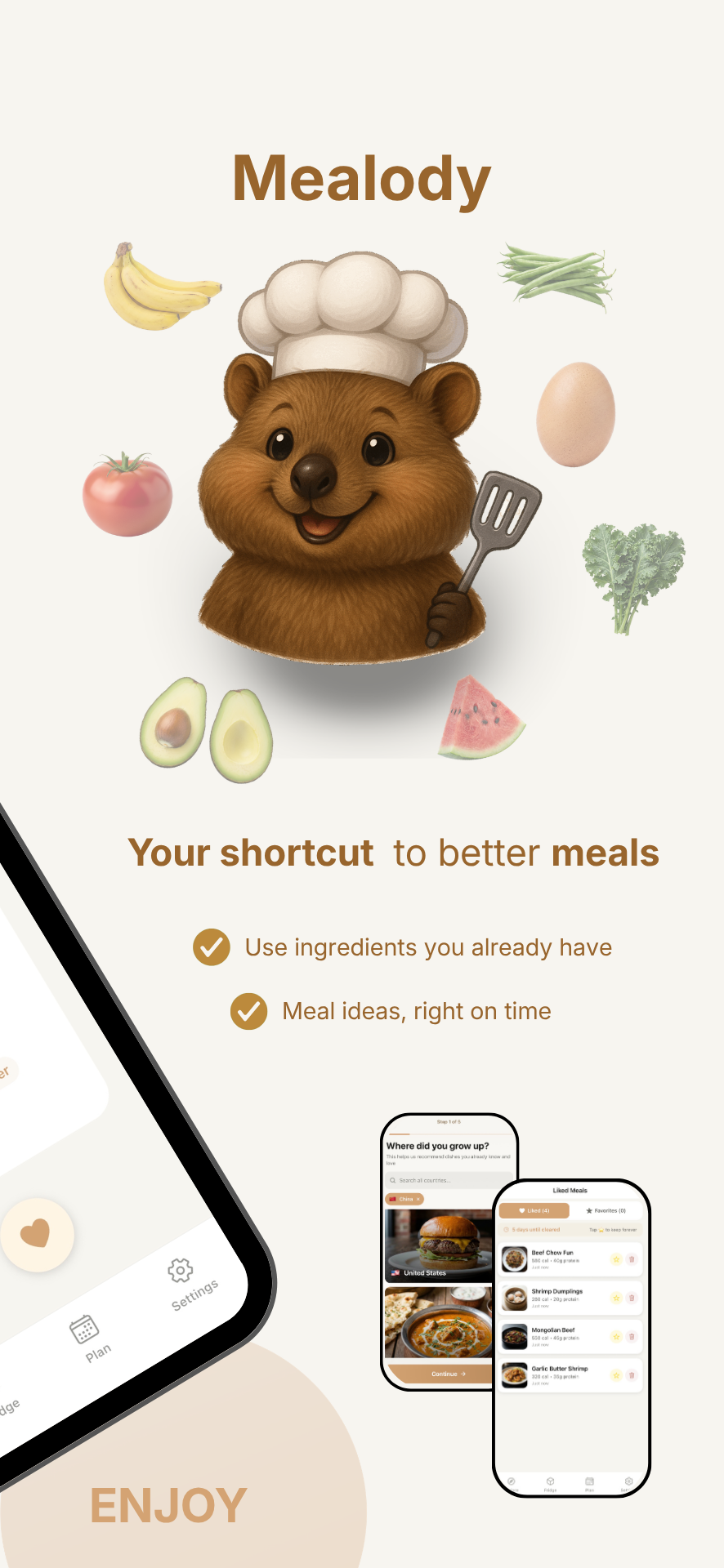
Browse dishes from 22 cuisines (Gyudon from Japan, Nam Tok from Thailand, Fisksoppa from Sweden) and swipe right on the ones you love. Your culture, your comfort food: every suggestion feels like something you'd actually want to eat.
Plan your week
One tap plans the whole week
Tell Mealody what's happening (quick days, eating out, a special occasion) and it builds a week of lunches and dinners from what's in your fridge (Pro). Cooking for a family? Profiles keep everyone's allergies applied, even when you toggle who's eating (Pro+).
Make it yours
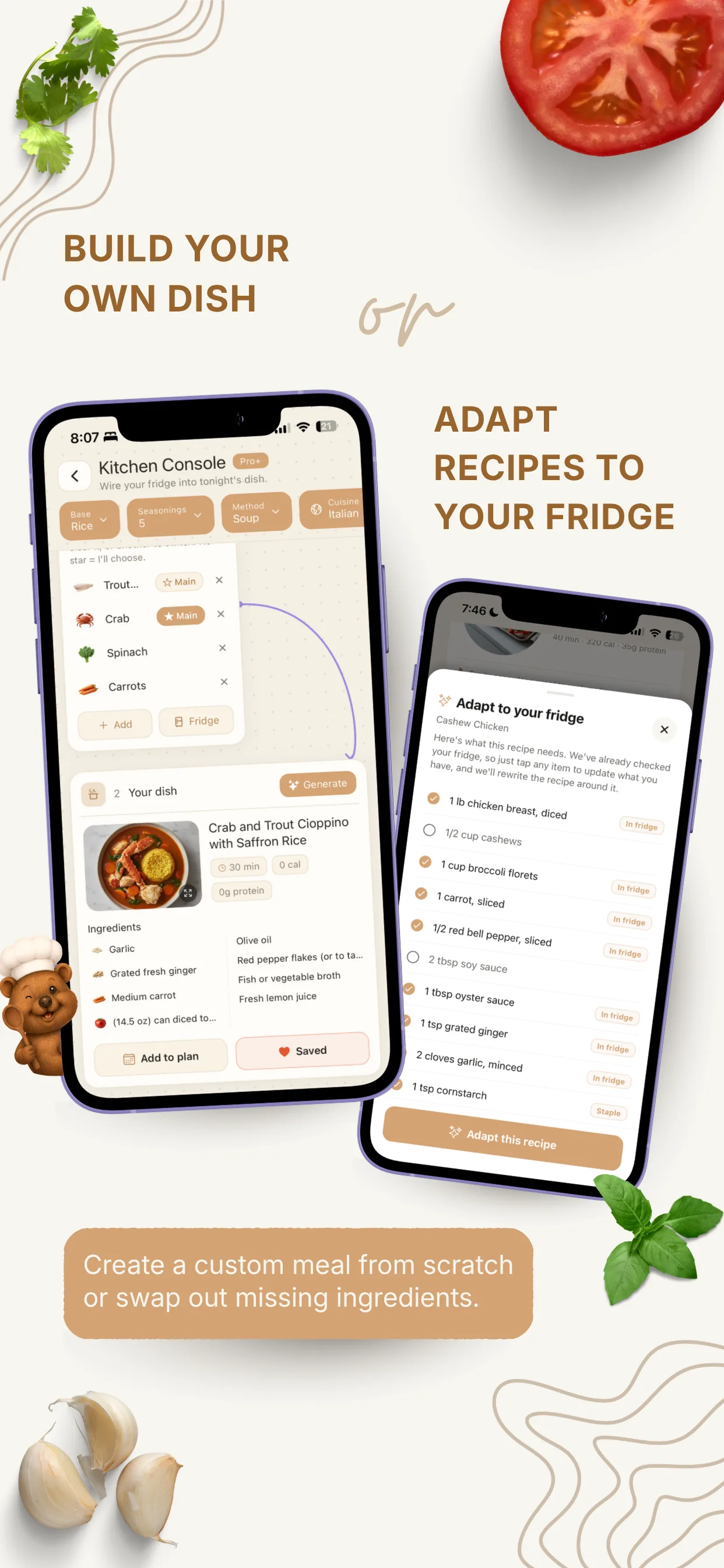
Build your own dish, or adapt any recipe
Studio turns the ingredients you pick into a brand-new dish invented just for you (Pro+). Or take any recipe in the catalog and let Mealody rewrite it around what you actually have (Pro).
See it in action
A quick look at Mealody, from your fridge to your plate.
Mealody fits your life
When your schedule is packed
No time to scroll recipes or plan meals? Mealody handles that for you. Just check your phone when it's time to eat.
When you're cooking on a budget
It works with whatever you have, even if that's just eggs, rice, and soy sauce. Real meals from real ingredients.
When you want to eat better
Set your dietary preferences and health goals once. Every suggestion is tailored to help you stay on track, effortlessly.
From the blog
View all posts →I Don't Know What to Make for Dinner (20 Ideas + How to Stop the Nightly Panic)
Start with the ideas: 20 dinners sorted by what's actually in your fridge. Then, if you're tired of asking the question every single night, the four systems that end it for good.
App ReviewsIs There an App That Tells You What to Make for Dinner?
Most cooking apps make you search. Very few actually decide for you. An honest breakdown of what each type really does, including which one to use if you'd rather choose yourself.
App Reviews7 Best Meal Suggestion Apps for iPhone in 2026
A detailed comparison of the best iOS apps that suggest what to cook. We review Mealody, Supercook, Mealime, and more, with pros, cons, and who each app is best for.
Frequently asked questions
Is there an app that tells you what to make for dinner?
Yes, Mealody. Most cooking apps wait for you to open them and search. Mealody sends you a notification at mealtime with one specific meal you can cook right now, using ingredients already in your fridge. You don't browse, and you don't choose from a list of 500 results. It just tells you. Free on iOS.
Is there an app to help decide what to cook?
Mealody is built for exactly that. The reason deciding is hard is that you're choosing from an unbounded list at the worst possible moment: hungry, tired, at 6pm in front of an open fridge. Mealody narrows 1,248 recipes down to only the ones you can actually cook with what you own right now, then sends you one of them at mealtime. One notification, one meal, no menu to scroll.
I don't know what to make for dinner. Is there an app for that?
Yes. You stock your fridge in Mealody once (by hand or by photo), set what time you eat, and it handles the rest. A meal suggestion arrives at breakfast, lunch, and dinner, filtered to your allergies, diet, and dislikes. You never have to come up with an idea from a blank page again.
What should I eat tonight?
The most useful answer to that question depends on what's already in your kitchen. A suggestion you'd need to shop for isn't really an answer. Mealody works backwards from your actual fridge contents: it looks at what you have, what you can't eat, and what time it is, then tells you one specific meal you can cook tonight without a grocery run.
How is Mealody different from SuperCook?
SuperCook is a search engine: you open it, enter your ingredients, and browse the results. It has a far bigger recipe database than Mealody, and if you enjoy picking your own meal, it's the better tool. Mealody is the opposite model: it's a push, not a search. You set it up once and it decides for you, on a schedule, without you opening anything. Pick SuperCook if you want to choose. Pick Mealody if you're tired of choosing.
How does Mealody work?
You sign up, add the ingredients in your fridge, set your cuisine preferences and dietary goals, and Mealody handles the rest. It sends push notifications with meal suggestions you can actually cook with what you have. No grocery run needed.
Is Mealody free?
Yes. The whole core loop is free and ad-free, forever: your fridge, all 1,248 recipes, step-by-step cooking mode, and the meal-time notifications that tell you what to cook. You also get a photo fridge scan each week and a daily question to Mealody's AI chat. Sign up takes under 2 minutes. Pro ($3.99/month) adds Plan My Week and the smart grocery list, lets Mealody rewrite a recipe around what you actually have, and raises the AI limits. Pro+ ($7.99/month) adds family profiles for up to 7 people and Studio, where the AI invents a brand-new dish for you.
What cuisines does Mealody support?
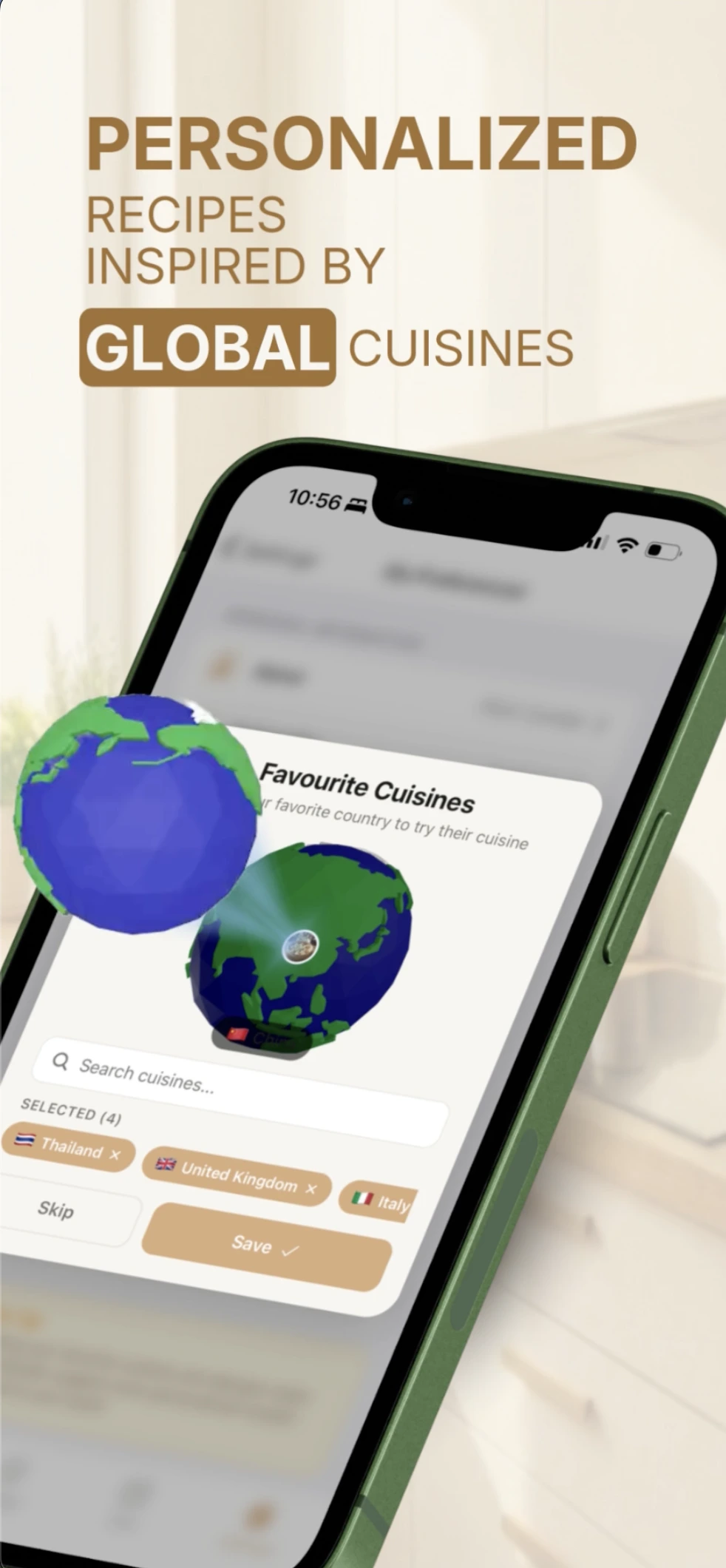
Mealody's catalog covers 1,248 recipes across 22 cuisines: American, Australian, British, Burmese, Canadian, Chinese, Dutch, Filipino, French, German, Greek, Indian, Israeli, Italian, Japanese, Korean, Mexican, Spanish, Swedish, Thai, Turkish, and Vietnamese. You pick your favorites during setup and suggestions are personalized to your taste.
Can Mealody help me reduce food waste?
Yes. Because Mealody only suggests meals using ingredients you already have, it pushes you toward using what you bought before it goes bad. It also tracks expiry dates and front-loads meals that use ingredients about to turn.

Your phone tells you what to cook.
Download Mealody free on the App Store. Set it up in under 2 minutes and never wonder what's for dinner again.